Manually deploy application on Cloudhub
To show how we can Manually deploy an application on Cloudhub, Let’s create Mule Project as helloworld in Anypoint studio

Export mule application from Anypoint studio
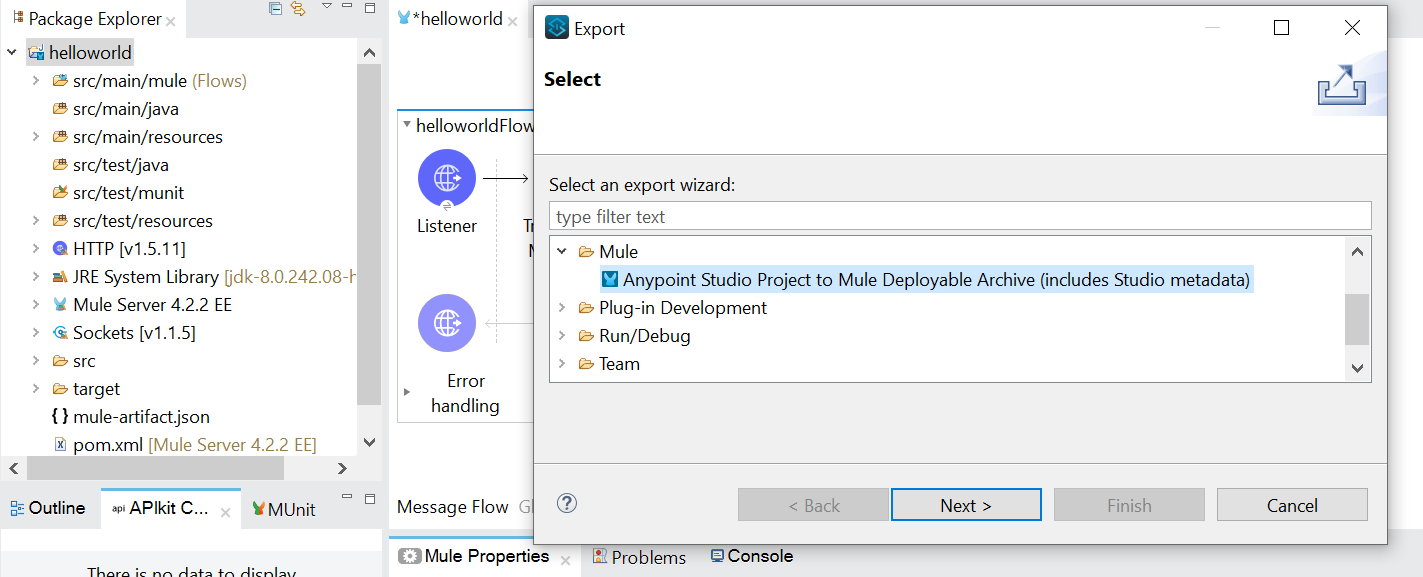
Right click on mule project -> Export
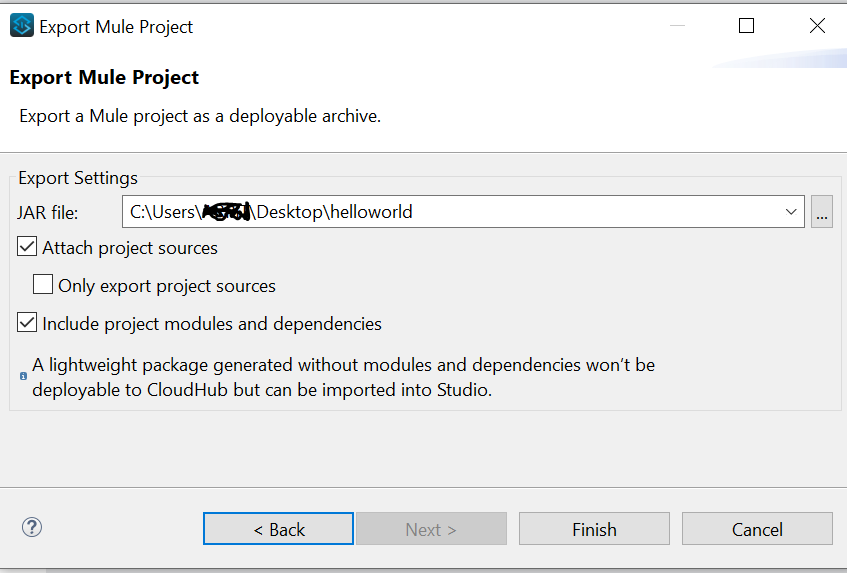
Make sure you have selected “Include project modules and dependencies” as we have to deploy the application with all its dependencies.
Click on finish
Go to runtime manager click on deploy application
Provide valid Cloudhub application name and Deployment target
Choose mule application jar file and select the Runtime version, worker size and workers to deploy the application

Click on deploy application

Application is deployed and running

Get the app url and test application from postman

Test the same in POSTMAN

Logs are visible under logs in Runtime manager

Very good visual explanation. Thank you
Great!
Thanks for the explanation !
Is it not required to provide environment’s client_id and client_secret values under the “Properties” tab in Runtime Manager while deploying the application ?